Custom Forms for Every Site, Every Process, Every Requirement.

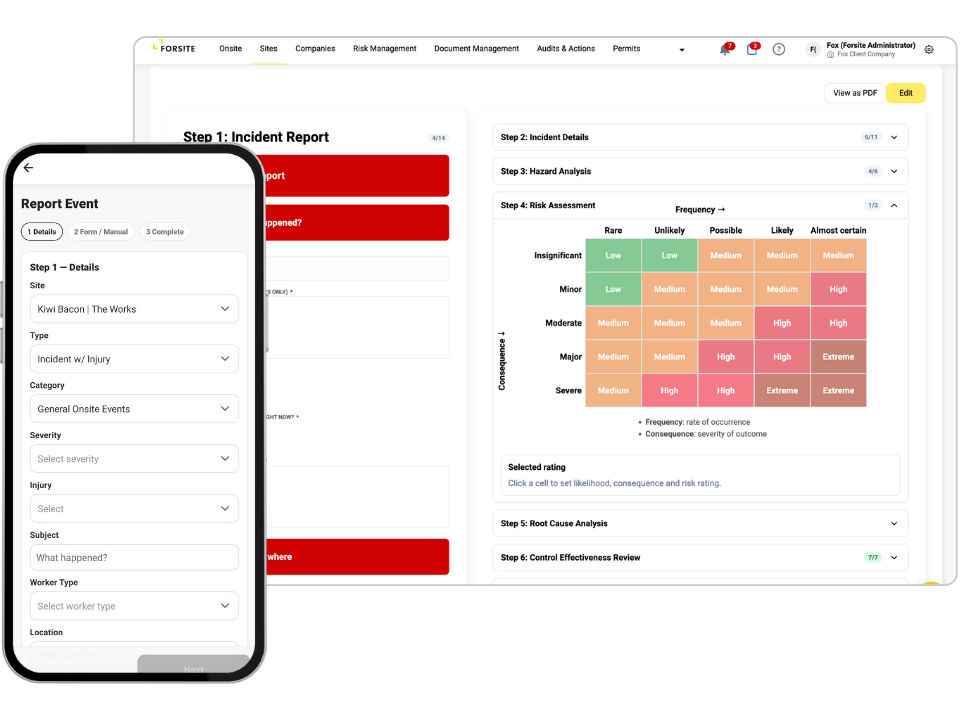
Do you wish you could design custom data collection forms tied directly to hazards, permits, incidents, and inductions — and deploy them across the app, portal, or as a printed PDF? Now you can. With Forsite's Form Builder, build custom forms for permits, audits, inductions, and incidents — with digital data capture and full audit trails behind every submission.
MacBook mockupiPhone mockup

One builder behind every process

Permits, audits, inductions and incident reports look like separate tools in most systems. In Forsite they are one builder, configured differently each time. You lay out each form by dragging modules into place and setting what is required, so the same engine that produces a hot-works permit also produces an incident investigation or a site induction. One tool to learn, and one consistent way every form behaves.
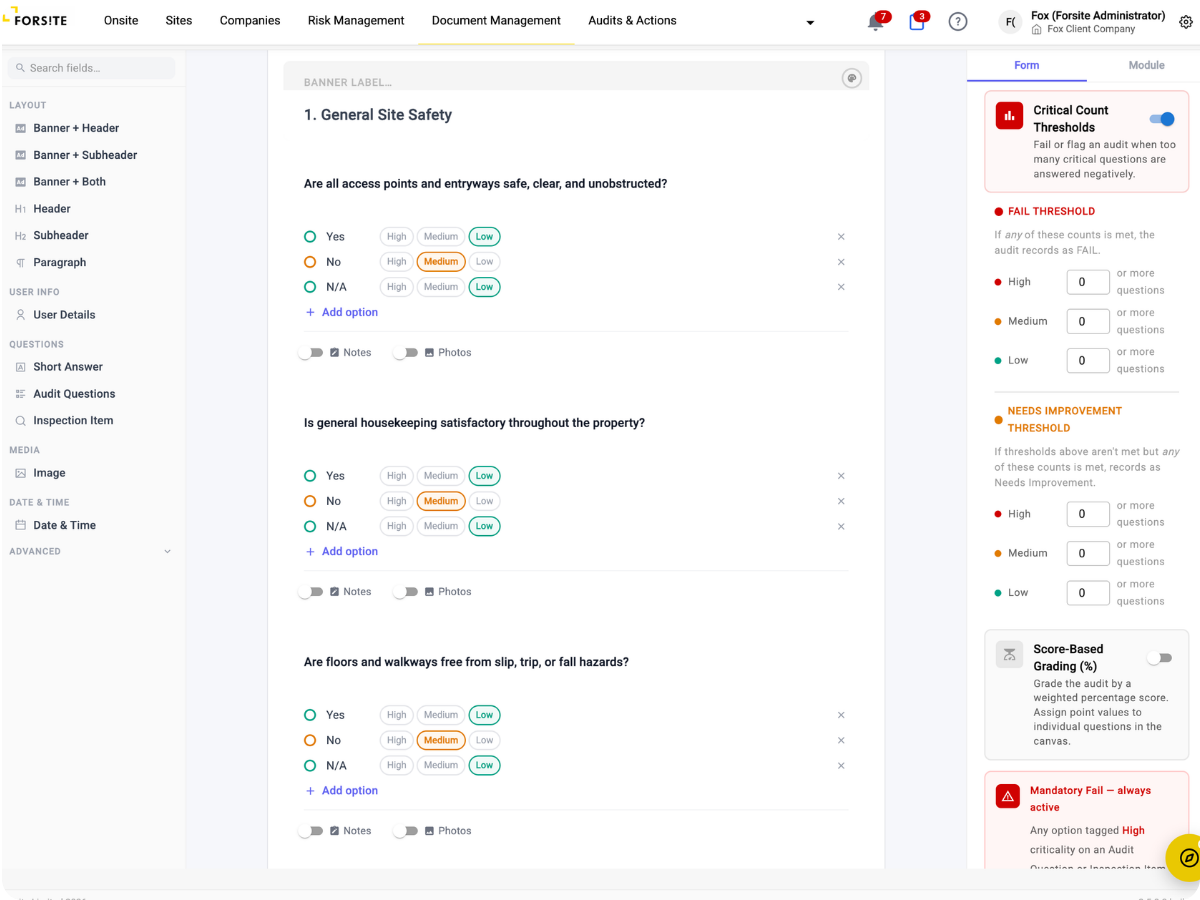
Form Builder

40+ Modules to Build With

Signatures, body-part pickers, image upload to secure cloud storage, site-zone selectors and dozens more. Drag the modules a form needs into the order that suits the job, so an inspection sheet and an incident report each get exactly the fields they call for.

Deploy to App, Portal or PDF

Publish a form to the mobile app for workers in the field, to the portal for office teams, or print it as a clean PDF where a signed paper copy is still required. The same form, wherever the work happens.

States and Role-Gated Steps

Define the states a form moves through, such as draft, submitted and approved, and set which role is allowed to make each move. Sign-offs happen at the right step, by the right person, rather than whenever someone opens the form.

Tied to Your Safety Records

A form is not a standalone questionnaire. Attach it to a hazard, a permit, an incident, an induction or an audit, so a submission updates the record it belongs to and flows into your registers and reporting rather than into a spreadsheet.

Form Builder

The audit-scoring engine

Audit forms do more than collect answers. A scoring engine grades each response and combines them into an overall result, so a completed audit comes back with a pass, a fail or a score rather than a page of answers someone still has to interpret. Your grading rules, applied the same way every time.

See the form builder in action

Watch a form built from modules, deployed to the app, and a completed submission landing on the record it belongs to.

For Your Role

What It Means for Your Team

40+

module types

3

ways to deploy

Forms that fit the work

Build inspection and task forms that actually match the job.

Total control over compliance

Create and update safety forms as regulations or requirements change.

Clear expectations, mobile access

Complete assigned forms directly in the app—fast, guided, and trackable.

Portfolio-wide consistency

Standardise form templates across every site, then track usage and completion centrally.

The Problem we're Solving

When forms don’t fit your workflow, they don’t get used.

Paper-based forms are slow, disconnected, and hard to manage. Off-the-shelf templates rarely match your site’s needs. Forsite gives you the flexibility to build, assign, and track your own forms—without compromise.
01
Paper forms aren’t trackable
No digital history or real-time visibility.
02
One-size forms don’t fit every site
You’re stuck adapting processes to generic templates.
03
Requests are made over email or in person, with no clear ownership or follow-up.
Sending forms is manual and disjointed
How it Works

How Forsite Makes It Easy

01

Manage Your Form Tempaltes

Build a central library of templates for audits, permits, inspections, and more.
02

Create Forms Your Way

Use a flexible builder to design forms with custom fields, logic, and structure—no coding needed.
03

Assign Forms to Sites

Deploy forms to one site or many — automatically available in the Forsite app.
04

Request Completion from Users

Send targeted form requests to contractors or providers and track submissions from the portal.
Ready to streamline your process? Get a closer look at how Forsite simplifies every step.
Trusted On Site

“What we value in Forsite is the ability to manage a range of site and health and safety requirements across our national portfolio of properties — all within one simple to use web portal. There are regularly new features or enhancements made being deployed, which further improves the value of the solution to us.”

Simi Mukherjee

Head of Facilities & Sustainability - PMG Funds Group

Related Features

These features work together to keep your site compliant from day one.

Forsite features are designed to connect—automating tasks, reducing admin, and keeping your sites safe and compliant
Mockup

Permits to Work

Design custom permit request forms to suit different work types—like hot works or confined spaces.
Mockup

Hazard & Risk Register

Create and assign hazard observation or inspection forms to capture risk in real time.
Mockup

Incident Management

Create structured incident reporting with required fields for severity, people involved, and actions taken.
Everything works better, together. Explore the tools that connect seamlessly with this feature.
Contact us

Get a Demo

We’d love to hear from you. Fill out this form and we will get in touch