
.png)
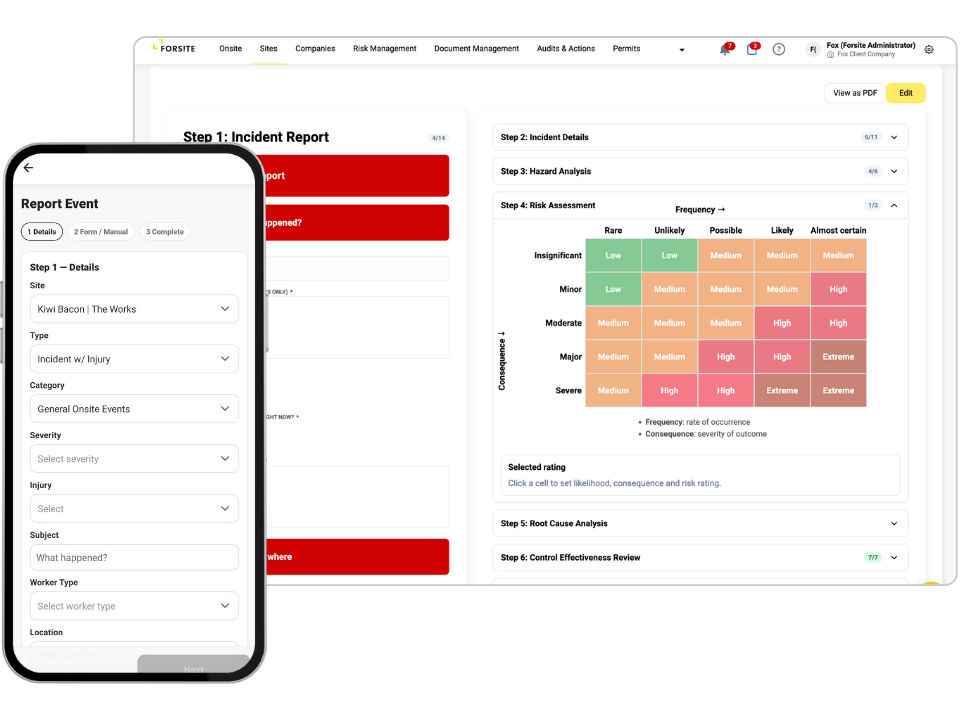
Most hazard tools force one form on everyone. Forsite has two entry modes. Contractors and site staff log a hazard in seconds with a photo and a description. Your risk team then builds it out into a complete assessment: hazard type, affected zones, initial risk, controls and residual risk. Both feed the same register.

Assess the raw risk, attach your controls, then set the residual rating on the same matrix. Both scores stay on the hazard, so you can always show how much risk your controls are taking off the table.
Score risk on your own matrices, up to 5x5, with your labels, ratings and colours. Each risk category can use its own matrix, so a fall-from-height risk and an environmental risk get assessed on the scales that suit them.
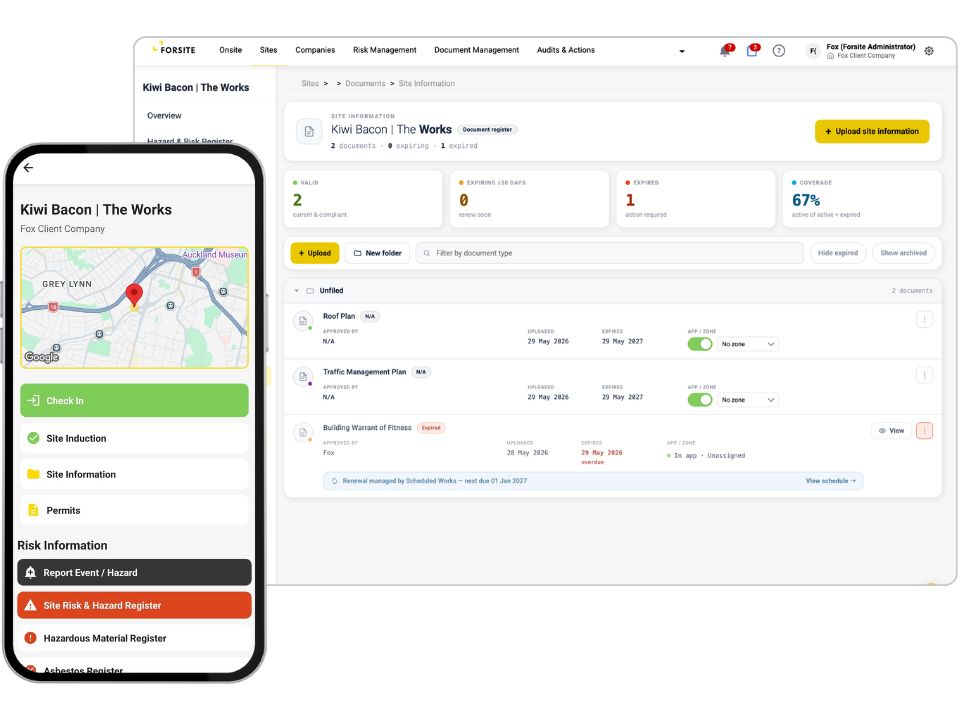
Hazards group into per-site folders with live status counts. Filter by risk level, status, controlled or uncontrolled, or search free text. Critical risks always sit at the top. Export the lot to CSV whenever you need it.
Write an external description that contractors see in the app, and an internal one your team keeps private. Workers get clear plain-language warnings, and your register keeps the full technical detail.
Your hazard register does not sit on its own. Controls attach straight from your shared Controls Library, and any hazard you flag as a critical risk moves into critical control verification. The same record shows up in the inductions and check-in your workers complete, so what you assess is what they see.
Watch a hazard go from a quick field report to a fully assessed, controlled risk on the site register.
Two
ways to capture a hazard
1 to 25
risk score on every hazard
Your site's risk, live
You run the site day to day, so you need today's picture of risk, not last month's spreadsheet. Your site register shows every active hazard with its current status and rating, so you always know what is controlled and what still needs attention.
Own the assessment quality
You own how risk gets assessed. Set the matrices each category is scored on, review the initial and residual ratings your team records, and keep the approach consistent across every site so a rating means the same thing wherever it was set.
Report hazards from your phone
You are often the first to spot a new hazard. Log it in seconds from your phone with a photo and a note, and see the site's current hazards in plain language before you start, so you know what you are walking into.
One standard across the portfolio
You carry the liability across the portfolio. When every site assesses hazards the same way on one register, you get a consistent, defensible record of how risk is found and controlled, and one place to look when a regulator or an insurer asks.
.png)
%20(2).png)
%20(3).png)
%20(4).png)
“What we value in Forsite is the ability to manage a range of site and health and safety requirements across our national portfolio of properties — all within one simple to use web portal. There are regularly new features or enhancements made being deployed, which further improves the value of the solution to us.”
Simi Mukherjee








.png)