
.png)
Access in Forsite comes down to two things: what a person can do, and which sites they can do it on. A role sets what each user can view and change. Site scoping sets which sites they ever see. Put together, a contractor working two sites and an HSE lead across the whole portfolio each get a view that fits their job, from the same platform.
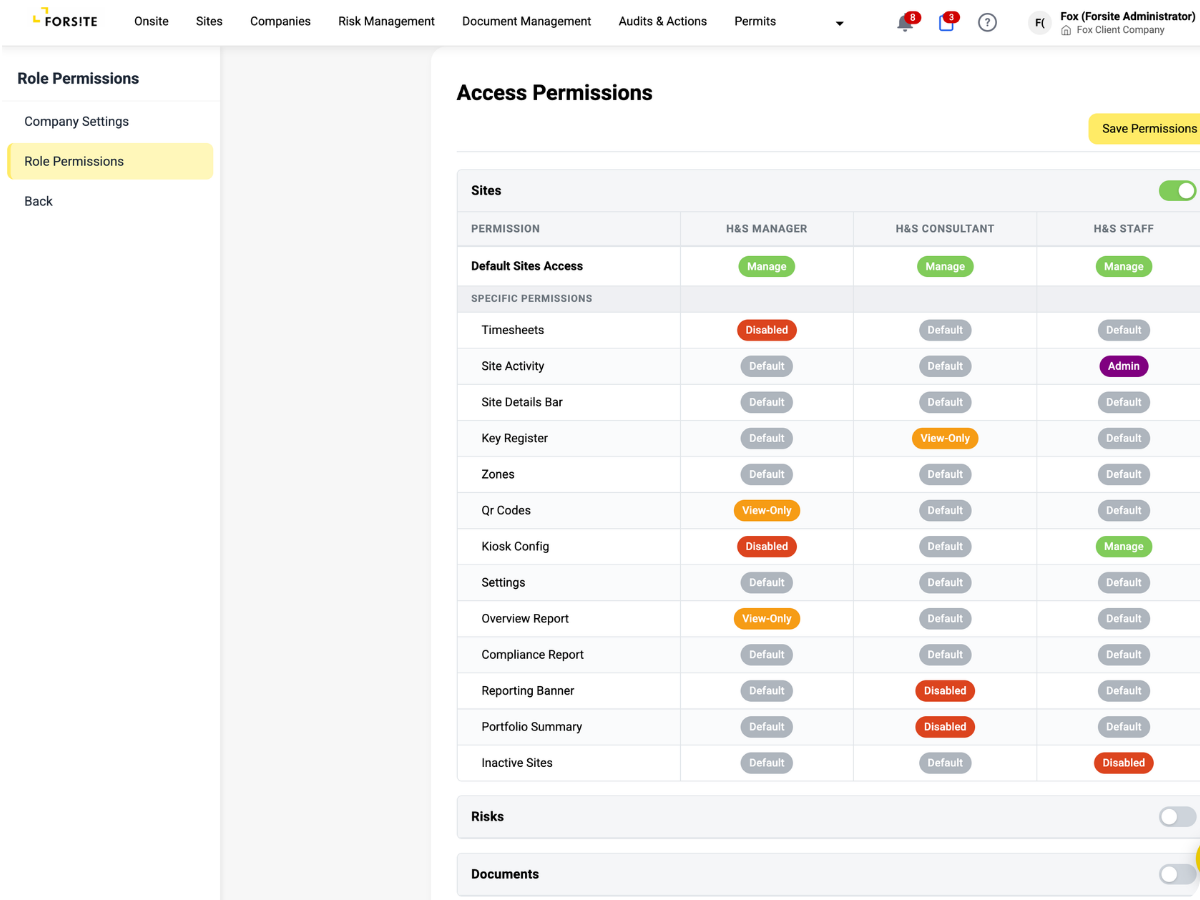
A role decides what each user can view and what they can change. Read-only where it should be, full control where it is earned. Safety data is not something anyone with a login can quietly edit.
People only see the sites they work on. A site manager gets their sites, a contractor gets the jobs they hold, and no one browses a portfolio that has nothing to do with them.
Client staff and service providers both belong in Forsite, each with the right view. One provider account can serve many client companies, and sub-contractors chain down under the provider who brought them on.
Beyond the broad role, individual permissions gate particular actions: who approves an onboarding, who receives certain notifications, who can reach a given area. You grant the exact rights a job needs without handing over the rest.
See everyone who has access in one place: each person, the role they hold, and the sites they can reach. Add someone, change a role or pull access when a project ends, without hunting through settings or asking who set what up.
Watch a new team member invited, given a role, scoped to two sites, and signing in to a view that shows only their work.
Every
person scoped by site
Many
clients, one provider login
Control who acts on your site
You decide who on your site can log hazards, close out actions and sign off work. Each person gets the access their job calls for and nothing wider, so responsibility on the ground stays clear.
Guard who edits risk data
Decide who can edit the hazard register, assess incidents and change controls, and who can only read them. Your safety records stay in the hands of people competent to change them, on every site you are responsible for.
See only your own work
Service providers and contractors sign in to a view built around the sites they work on and the jobs they hold. No scrolling past other companies' sites or records, just the work in front of them.
Consistent access across your portfolio
Every site in your portfolio runs on the same access rules, so the right people can act and the wrong people cannot. You keep control over who reaches safety data, wherever they sit in the organisation.
.png)
%20(2).png)
%20(3).png)
%20(4).png)
“What we value in Forsite is the ability to manage a range of site and health and safety requirements across our national portfolio of properties — all within one simple to use web portal. There are regularly new features or enhancements made being deployed, which further improves the value of the solution to us.”
Simi Mukherjee







.png)